My Role
Sole UX Designer
Developed and maintained a design language
User research, prototyping, UI design
Developer collaboration
Date
July 2022 - May 2023
1. Summary
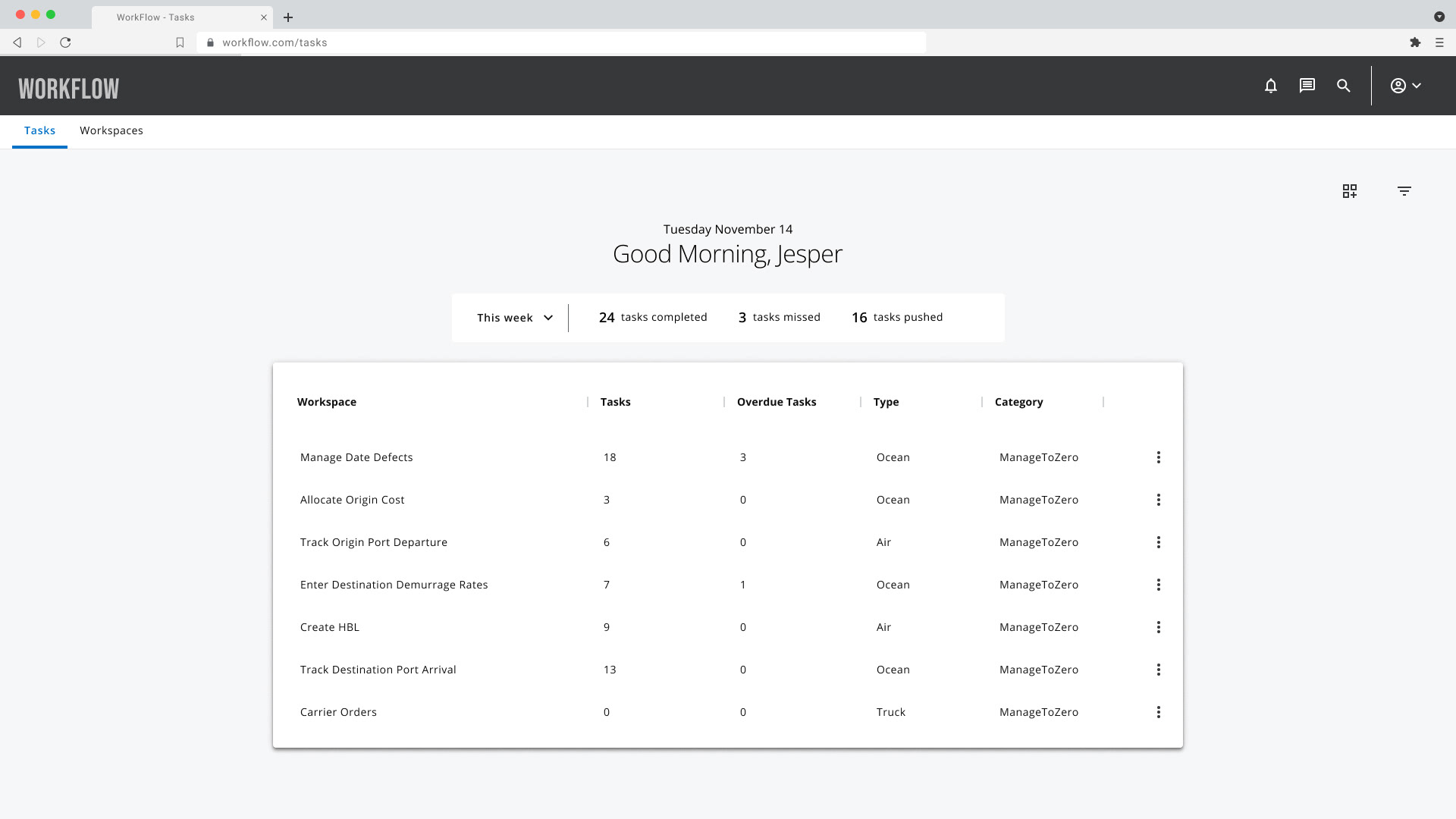
I led the UX overhaul of WorkFlow, a mission-critical platform for international freight forwarding and customs brokerage. The legacy system suffered from "feature sprawl," forcing agents to navigate 100% of the system's complexity to complete the 5% of tasks relevant to their specific role. By implementing a role-based architectural framework and a unified design system, I reduced task density and navigation friction. This transformation shifted the tool from a generic data dump to a streamlined, persona-driven workspace. The result was a measurable increase in task completion speed and a significant reduction in cognitive load for high-stakes logistics operations.
2. Problem
The "all-in-one" nature of the legacy app was its greatest weakness. Global forwarding agents were drowning in "data noise"—viewing massive, unfiltered tables and irrelevant task notifications. This lack of hierarchy led to:
Operational Inefficiency: Agents spent excessive time filtering through irrelevant shipment data.
Increased Error Rates: Critical customs deadlines were easily missed in the cluttered UI.
Onboarding Friction: New hires faced a steep learning curve due to inconsistent patterns across ocean, air, and customs modules.
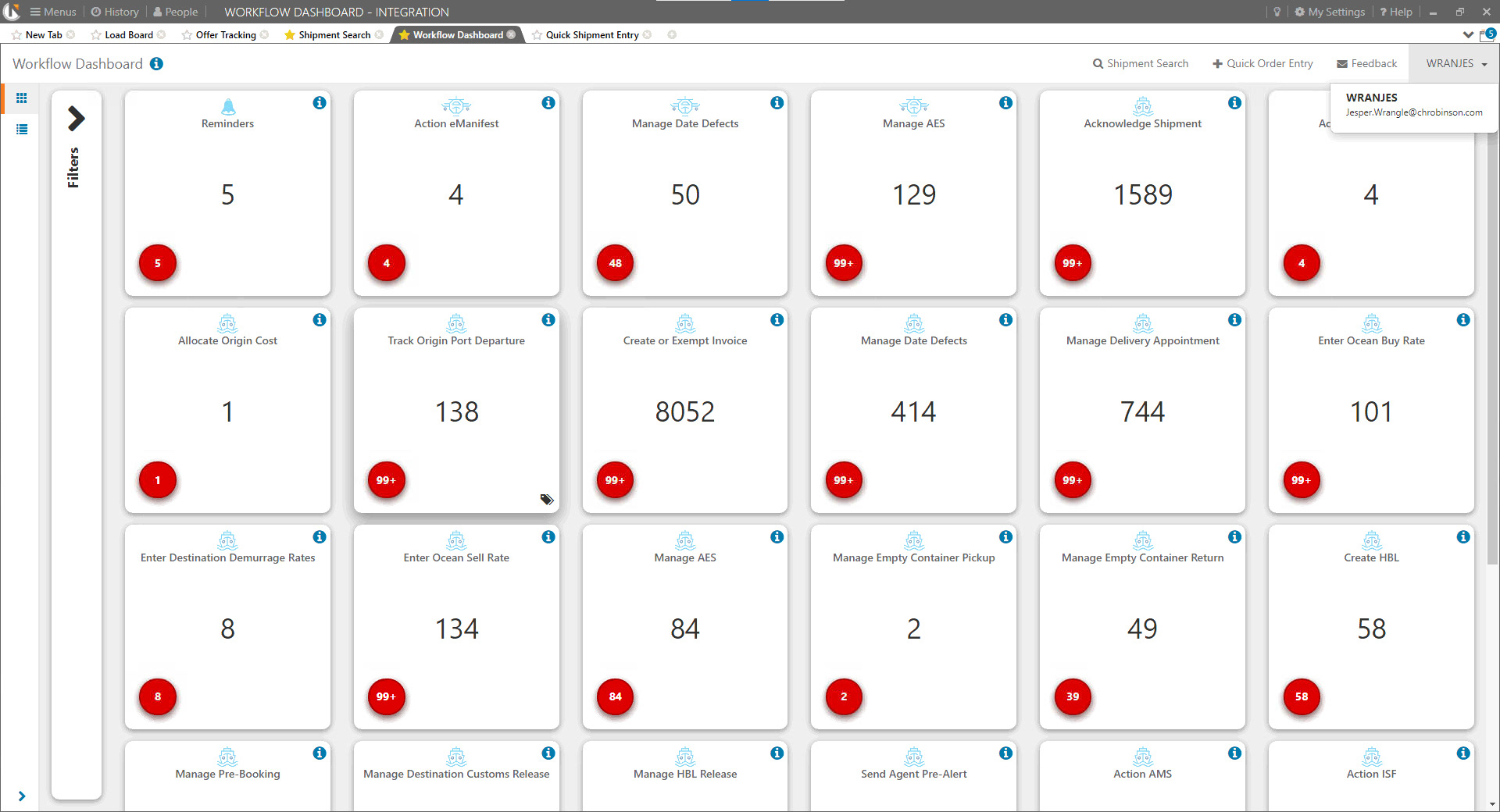
Old Total WorkFlow application
3. Constraints
Domain Complexity: Logistics involves intricate legal requirements and diverse data types (ocean vs. air vs. customs).
High-Stakes Environment: The system is "live" 24/7; any UI changes couldn't disrupt ongoing global shipments.
Sole Designer Scope: I had to balance high-level strategic IA with the granular execution of a full design system within a 10-month window.
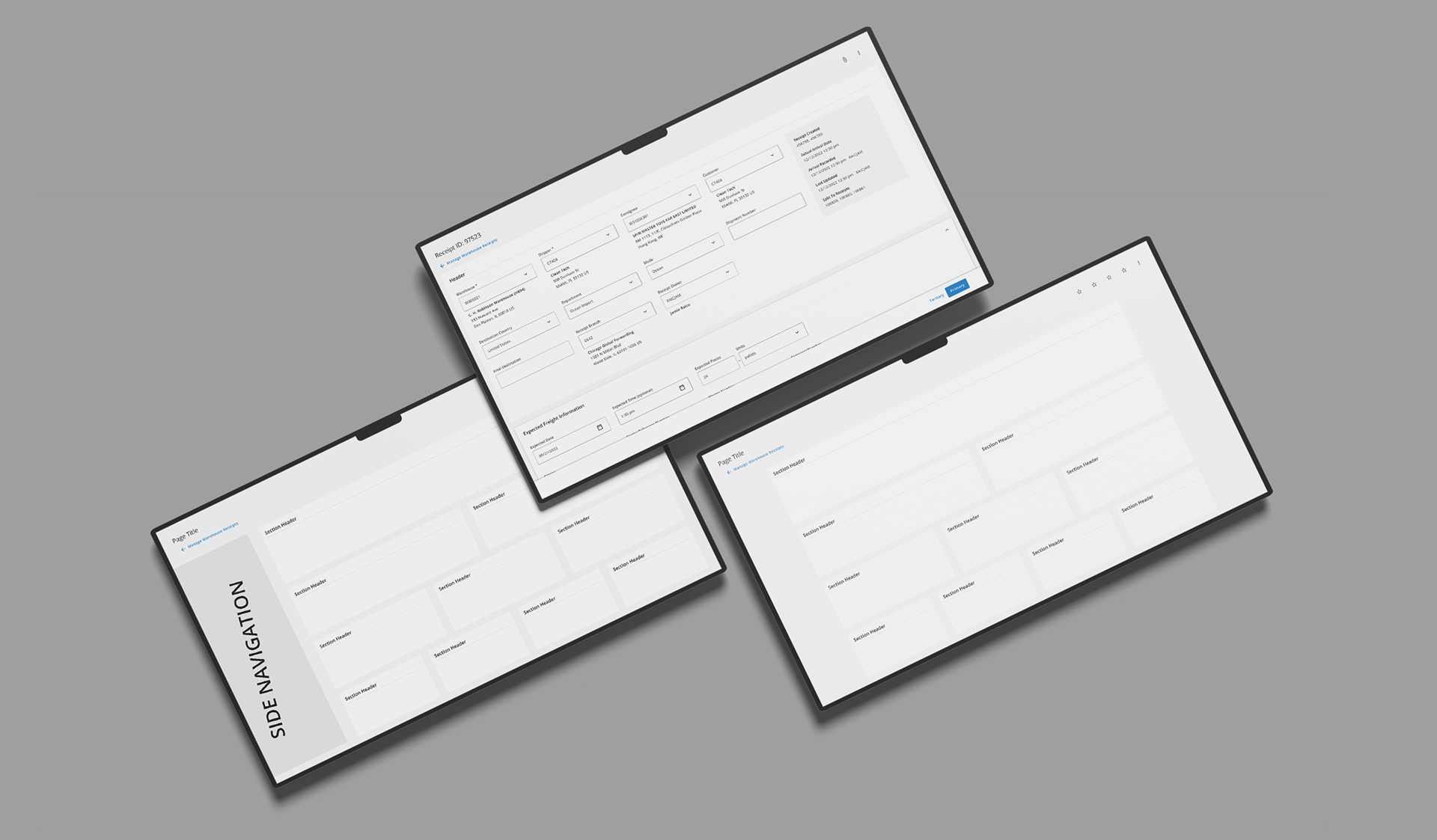
Early ideation
4. My Role
As the Lead UX Designer, I owned the end-to-end strategy and execution. My influence extended beyond UI; I acted as the bridge between freight agents (users) and engineering to prioritize a "Role-Based" technical architecture over the existing "Feature-Based" one.
5. Process
Contextual Inquiry: I conducted "on-the-floor" observations to map the actual mental models of agents vs. the system’s current state.
Task Analysis: Identified the "Top 5" high-frequency tasks for each agent type to drive the new dashboard hierarchy.
Systems Design: Built a scalable component library to replace one-off UI patterns, ensuring dev velocity and UI predictability.
Timed Usability Benchmarking: Used A/B testing between legacy and new prototypes to validate speed gains.
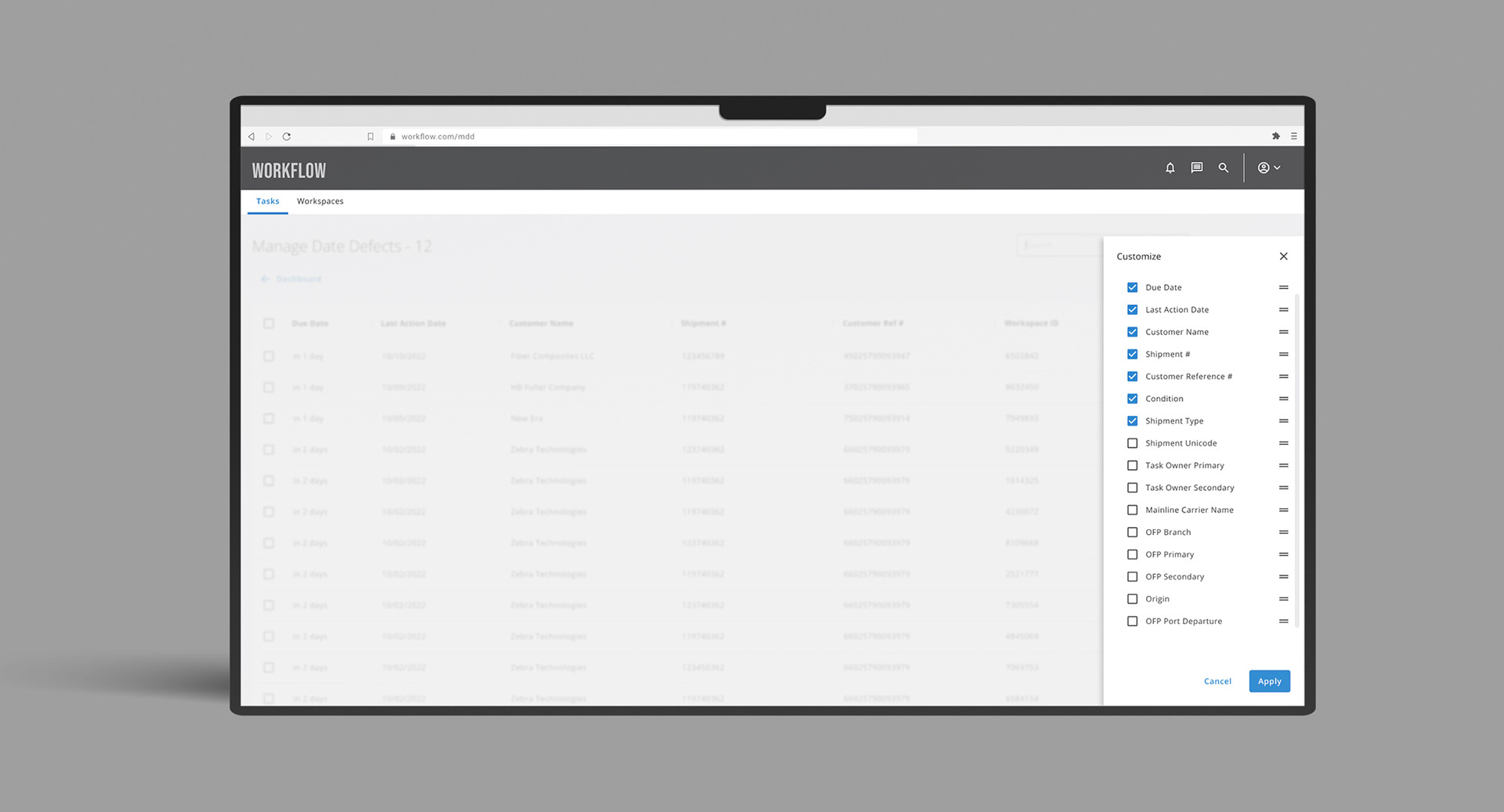
Customizable Table View
6. Key Decisions & Tradeoffs
The "Role-Based" Pivot: I advocated for hiding 80% of the system features by default based on the logged-in user's role. Tradeoff: This required a more complex backend permission logic, but I argued the "cost of complexity" was lower than the "cost of agent errors."
Customizable Tables vs. Fixed Views: Instead of designing the "perfect" table, I built a customizable view (column toggles/saved filters). This empowered power users while keeping the default view clean for novices.
Task Chunking: I broke massive "one-page" forms into multi-step guided flows. This increased the number of screens but decreased the "Form Abandonment" and "Error Rate" by focusing the user on one data set at a time.
7. Impact
Throughput: Timed tests showed a significant decrease in time-on-task for core shipment entries.
Scalability: The new design system reduced front-end development time for new features by an estimated 30%.
Error Mitigation: Role-based alerts led to faster response times for "At Risk" shipments.
Consistency: Achieved 100% UI parity across Ocean, Air, and Customs modules, reducing cross-training time for agents.
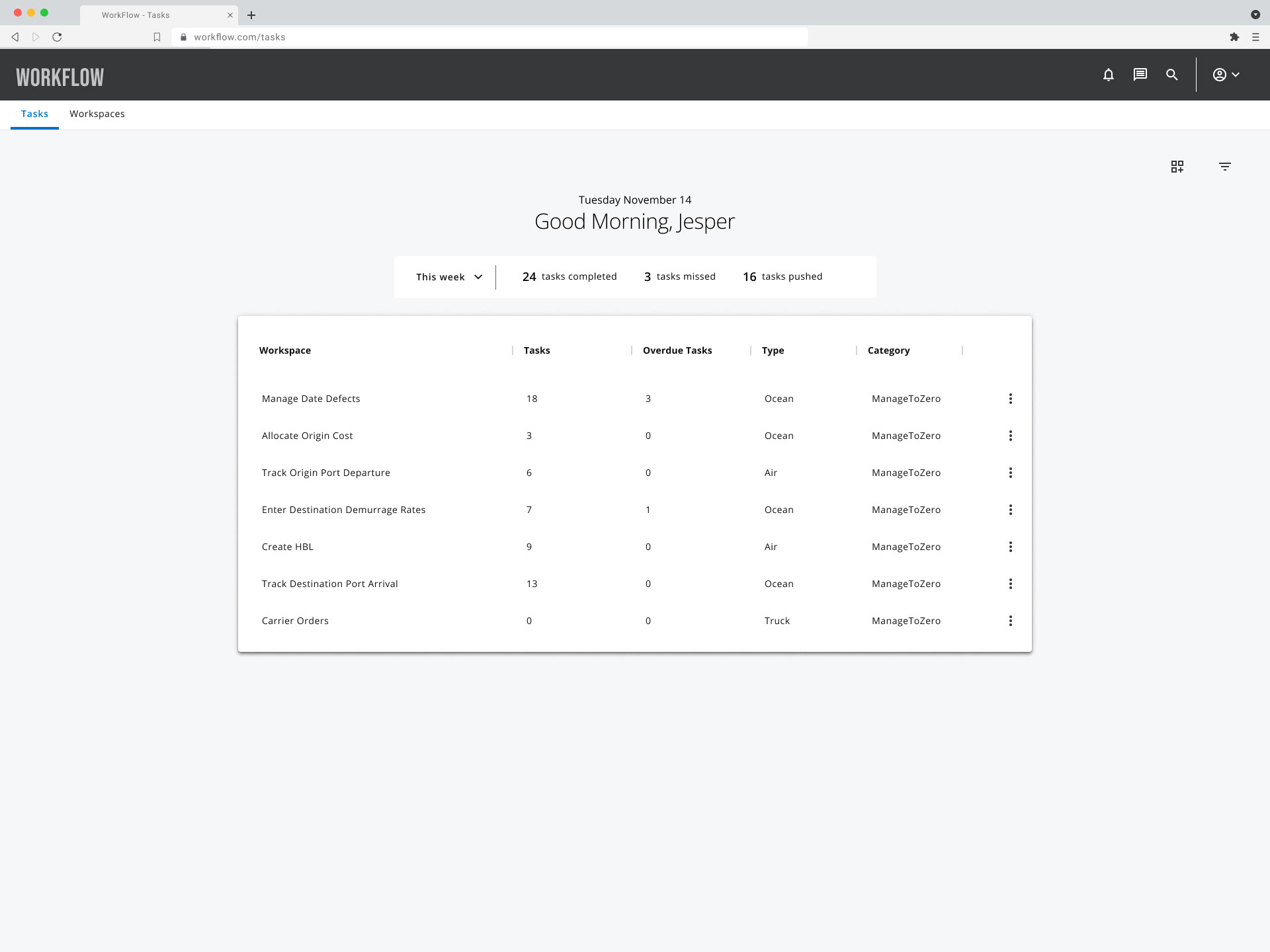
CLICK FOR INTERACTIVE PROTOTYPE
8. What I'd improve
If I were to revisit this, I would push for automated data validation. While my design made the data more scannable, the agents are still manually entering information that could be ingested via OCR or API integrations. I’d also implement telemetry and heatmapping to see which "customizable columns" are actually used, allowing us to further prune the UI based on real-world behavior rather than just initial interviews.